01
School Administration
Use one web portal for dashboards, students, staff, classes, divisions, bulk onboarding, leave approvals, and day-to-day operational oversight.
FutureBrights brings administration, academics, communication, fees, live bus tracking, health, learning, and parent engagement into one role-based platform with real-time visibility.
Product overview
A quick tour of the app for parents, teachers, drivers and nurses, and the web portal for school leaders.
Complete school platform
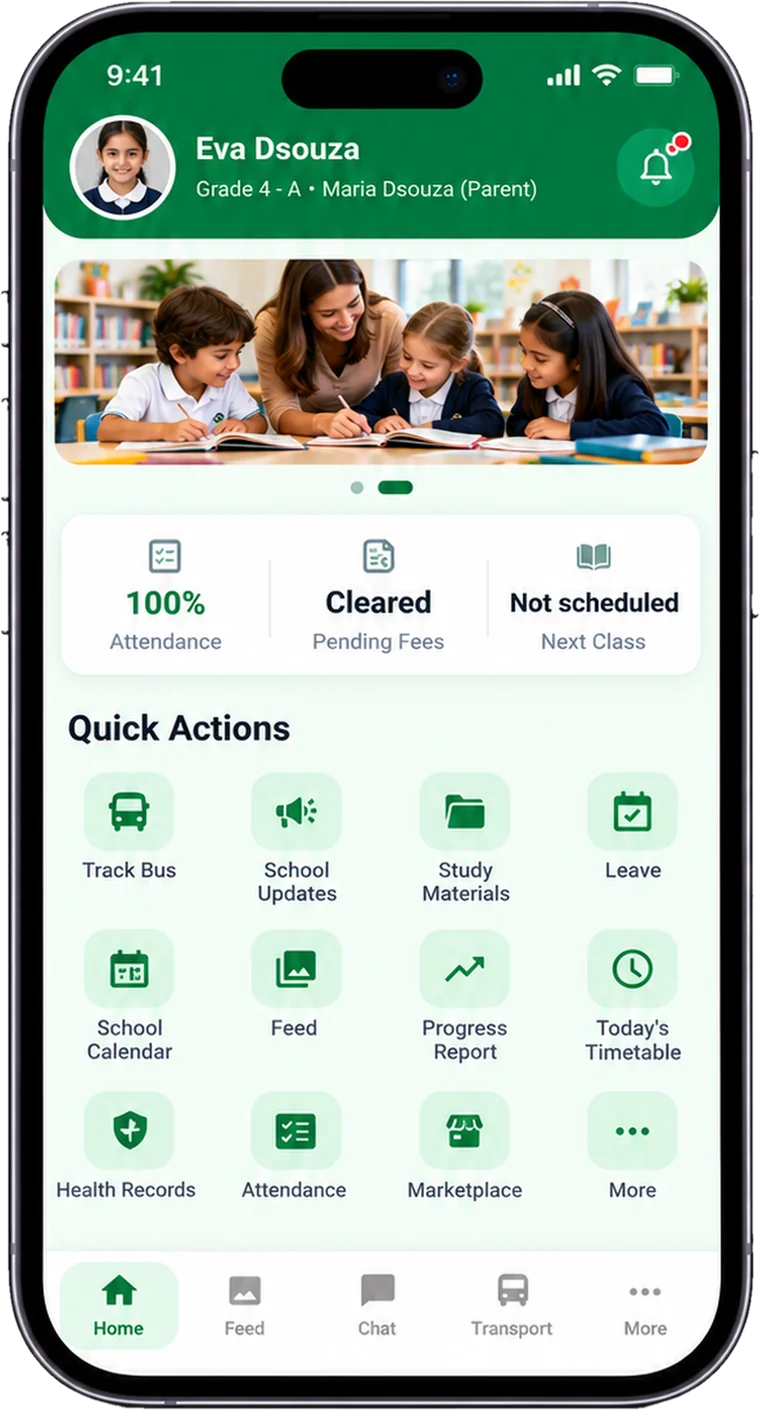
The same school data supports leadership, staff, and families through web administration and focused mobile experiences for each role.
Use one web portal for dashboards, students, staff, classes, divisions, bulk onboarding, leave approvals, and day-to-day operational oversight.
Manage attendance, timetables, progress reports, and school events, then surface the right information to teachers and families.
Share official updates, daily feed moments, study materials, notifications, and role-aware chat while managing student media consent.
Give schools and parents clear fee status, pending and overdue visibility, reminders, product catalogues, marketplace access, and order tracking.
Bring each child’s attendance, progress, fees, timetable, calendar, health, transport, learning resources, and school updates into one app.
Help teachers mark attendance, view timetables, use study materials, participate in the school feed, and communicate from mobile.
Manage routes, buses, drivers, stops, live trips, parent ETA visibility, and pickup or drop status through connected transport workflows.
Provide nurses with student lookup, clinic workflows, structured health and incident records, protected fields, and relevant parent visibility.
Support role-based permissions, multi-factor authentication, session and device controls, school data isolation, consent evidence, and protected health data.
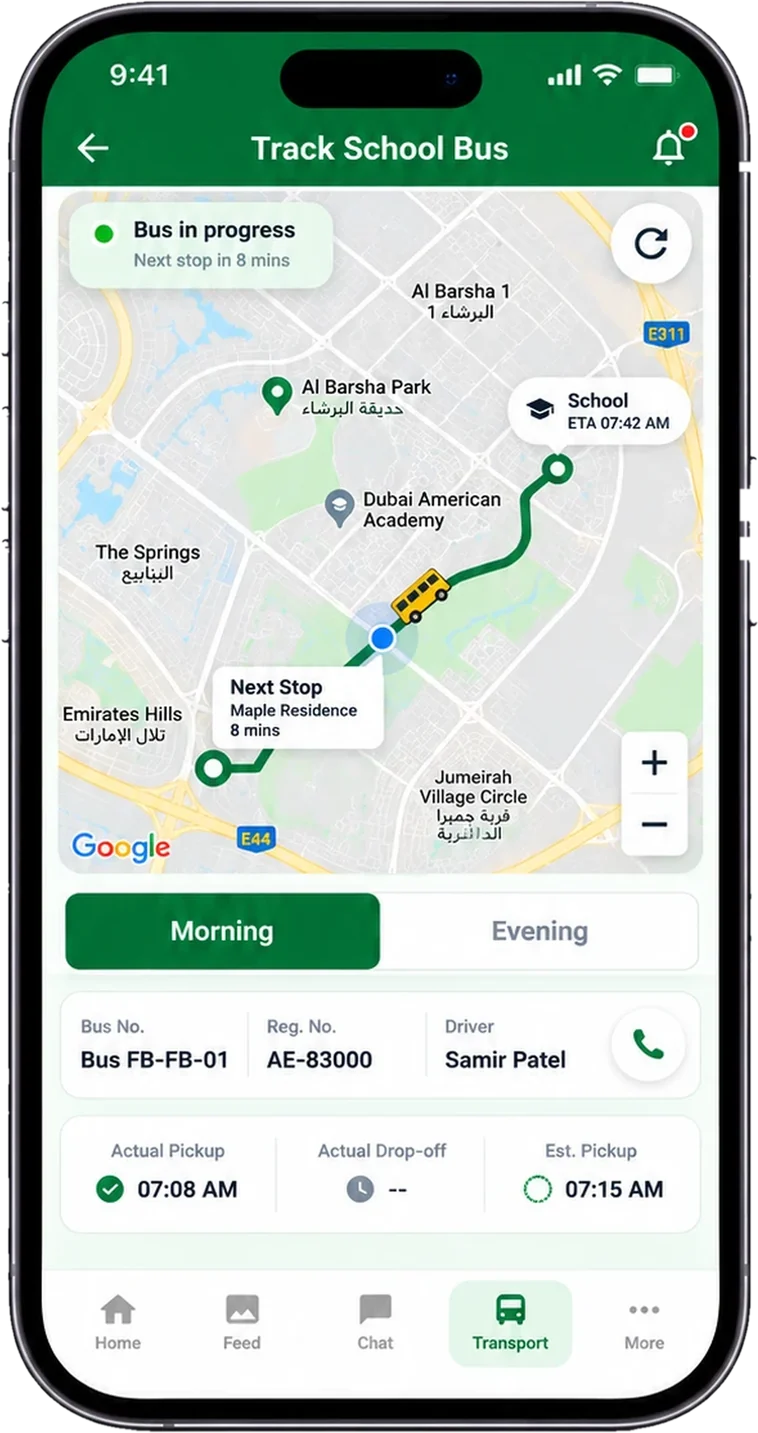
Live school-bus tracking
Drivers start the trip in the app and parents follow the bus on a live map, with the next stop and pickup and drop-off times. Fewer “where is the bus?” calls to your school office.
School-first experience
FutureBrights replaces disconnected workflows with one connected experience. Each person sees the tools relevant to their responsibilities while leadership retains operational visibility.
Purpose-built for every stakeholder
School administrators work from a command-center web portal, while parents, teachers, drivers, and nurses use mobile experiences designed around the tasks they perform every day.
Security & privacy
FutureBrights is built for schools that handle information about children. Every person sees only what their role allows.
Parents see their own children, teachers their classes, nurses health records and drivers their routes.
Every school’s records are isolated, so one school can never see another’s data.
Sensitive health information is visible only to authorised staff and the child’s parents.
Multi-factor authentication protects administrative access to the school portal.
Sign-ins are tied to trusted devices, and access can be revoked when a device is lost or a person leaves.
All traffic between the apps, the portal and our servers travels over encrypted connections.
There is no public sign-up. Only people the school adds can use FutureBrights.
Schools record parent consent before student photos and videos are shared in the school feed.
Product demos
Explore short walkthroughs for school administration, parent and staff experiences, transport, health, communication, and more. Visit the official FutureBrights YouTube channel ↗ for published product demos.
Child overview, updates, attendance, progress, fees, learning, health, and school communication.
Dashboards, student records, attendance, timetables, materials, and daily workflows.
Routes, fleet, driver assignments, live trips, pickup or drop status, and parent tracking.
Fee status, follow-up, progress reports, products, marketplace browsing, and orders.
School updates, daily feed, study materials, chat, calendar, notifications, and media consent.
Student lookup, clinic workflows, incident records, protected health fields, and parent visibility.
How it works
We walk you through FutureBrights with your school’s needs in mind.
We help you add classes, students, staff and buses, including bulk upload from your existing lists.
Everyone downloads the app and signs in with the account the school created for them.
Start with the modules you need first and add more when your school is ready.
Why schools choose FutureBrights
FutureBrights reduces dependence on manual coordination while improving operational clarity and the consistency of the family experience.
Give leadership one dashboard for operational visibility and items needing attention.
Reduce repeated entry and follow-up through central records and connected modules.
Help staff complete routine work with focused, role-specific experiences.
Give families one app for the school information and services they use every day.
For parents and staff
Download the app and sign in with the account your school created for you. If you don’t have your sign-in details yet, please contact your school.
Contact
Send your details and we will contact you for a walkthrough, pricing, and implementation plan.
FAQ
FutureBrights provides a web portal for school administration and role-specific mobile experiences for parents, teachers, drivers, and nurses.
Parents download FutureBrights from the App Store (iPhone) or Google Play (Android) and sign in with the account their school created for them. There is no public sign-up.
Yes. Each school’s records are kept separate, access is based on each person’s role, health records are extra-protected, connections are encrypted, and administrative access uses two-step sign-in.
Yes. We help you set up your classes, students, staff and buses, including bulk upload from your existing student and staff lists.
Yes. Schools can configure their foundation, onboard people and structure, set up daily operations, invite users, and launch priority modules in a sequence that fits their readiness.
The platform supports school-scoped access, configurable role permissions, multi-factor authentication for administrative access, session and device controls, and additional protection for sensitive health fields.
Yes. Bulk onboarding supports moving structured student and staff data from existing rosters into the platform with less manual entry.
Pricing depends on your school’s needs. Email sales@futurebrights.com or use the contact form, and we will send you a quote.